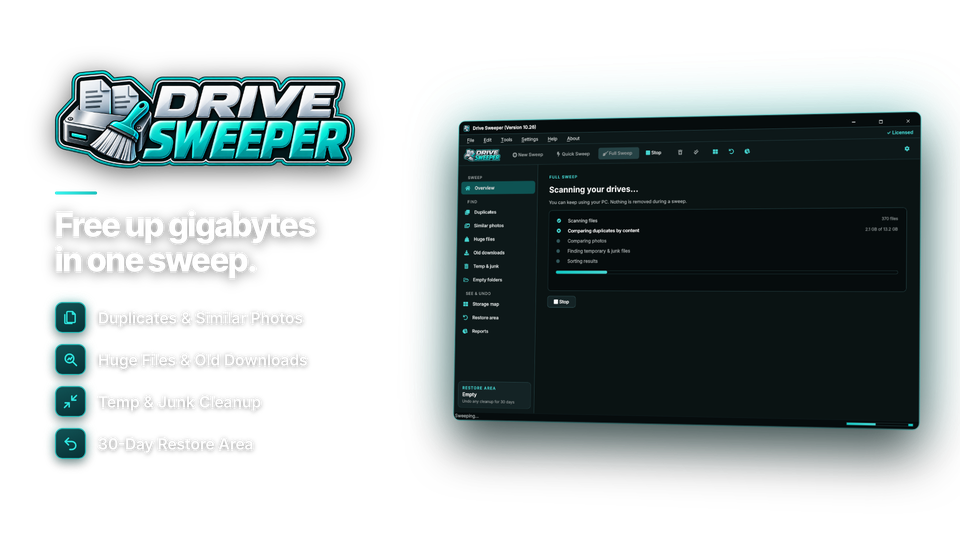
Free up disk space: duplicates, huge files and junk, gone.
Drive Sweeper finds the gigabytes you didn't know you were wasting - duplicate files and photos, forgotten huge files, old downloads, empty folders and temporary junk. A storage map shows where your space went, the safe picks are ticked for you, and every cleanup can be undone for 30 days.
Every place wasted space hides - found and cleaned.
Drive Sweeper scans your drives once and sorts everything it finds into clear groups, with every item labelled Safe, Review or Keep and the safe choices already ticked.
Find wasted space
Duplicate file and folder finder
Finds true copies by comparing their content, not just their names, and spots whole folders that are identical. One copy is always kept - the newest, the oldest or the one with the shortest path - and the rest can be removed or replaced with links so every folder still works.
Duplicate and similar photos
Finds resized copies, other formats and near-identical burst shots, and shows them side by side with the best shot picked for you.
Huge files and old downloads
Forgotten videos, disk images and installers you haven't opened for months, listed biggest first.
Temporary files, junk and empty folders
Windows temporary files, update leftovers, browser caches, crash dumps and old logs from the places Windows and your browsers keep them - plus the empty folders uninstalled programs leave behind.
See where your space went
Storage map
Every folder drawn as a block sized by the space it uses. Click to zoom in, follow the breadcrumb back out, or see your space by file type.
Every drive, internal or external
Scan internal and external drives, USB sticks and network folders, and find duplicates across them. Online-only OneDrive and Dropbox files are never downloaded.
Before-and-after reports
See the space freed by each cleanup and your drive usage over time, and export results as a web page or CSV.
Clean up safely
Safe cleanup recommendations
Windows and program files are never picked, the last copy of a file is never removed, and nothing goes until you approve it. Files that changed since the scan or are open in another program are left alone and listed.
Undo any cleanup
Removed files go to a restore area for 30 days and come back in one click. Need the space straight away? Free it whenever you like.
Scheduled sweeps, alerts and exclusions
Run a sweep weekly or monthly, get a warning when a drive is running low, and keep folders you never want touched on an exclusion list.
Where the space usually goes.
Typical amounts found on a well-used home PC, and how Drive Sweeper handles each one.
| Space waster | Typical size | Default action |
|---|---|---|
| Duplicate files and folders | 10 - 50 GB | keep one copy |
| Duplicate and similar photos | 2 - 20 GB | review side by side |
| Huge forgotten files | 10 - 100 GB | review |
| Old downloads and installers | 5 - 30 GB | safe to remove |
| Temporary files and update leftovers | 2 - 15 GB | safe to remove |
| Empty folders | thousands | safe to remove |
| Windows and program files | - | never touched |
Space back in four steps.
Most sweeps take a few minutes. Scanning, the storage map and reports are free.
Pick drives
One drive or all of them.
network optional
Scan
Everything sorted into groups.
groups 6
Review
Safe picks already ticked.
Review your call
Sweep
With undo for 30 days.
undo 30 days

More than a junk cleaner.
Basic cleaners only clear temporary files. The big savings are in duplicates, huge files and old downloads.
| Drive Sweeper | Windows Disk Cleanup | Cleaner subscriptions | |
|---|---|---|---|
| Price | $29.95 once | Included | Yearly fee |
| Duplicate files & photos | yes | No | Sometimes |
| Huge file & old download finder | yes | No | Sometimes |
| Storage map | yes | No | Sometimes |
| 30-day undo | yes | No | Rarely |
| No upsells or "registry boosters" | yes | Yes | Rarely |
For every drive that keeps filling up.
More room on a small SSD
Free up space on 256 GB and 512 GB laptops without deleting what matters.
Duplicates gone
Clear duplicate photos, exports and project copies across every drive.
Tidy shared PCs
Schedule sweeps and keep shared computers from running out of space.
One license. Every drive swept.
Duplicate and photo finders, the storage map, 30-day undo, scheduled sweeps and reports are all included. No subscription and no upsells. Free updates.
- Drives & filesunlimited
- Scheduled sweepsincluded
- Works onWindows 10 & 11
- Updatesfree
- Activations1 PC
- Deliverydownload + key by email
Checkout
You'll go straight to your download page once payment is confirmed, and we'll email your download link and license key.
Already bought? Get your download link again.
Disk space questions, answered.
Is it safe to use?
Yes. Windows and program files are never picked, the last copy of a file is never removed, and nothing is removed until you approve it. Files that changed since the scan or are open in another program are left alone and listed.
How does it find duplicates?
It compares file content, not just names, so renamed copies are found and files that only share a name are not. Hard links to the same file are counted once.
Can it find similar photos, not just exact copies?
Yes. It finds resized copies, other formats and near-identical burst shots, shows them side by side and picks the best shot for you.
How much space will I get back?
It depends on the PC, but the total is shown for every group before anything is removed, so you know exactly what you'll get.
Can I undo a cleanup?
Yes. Removed files go to a restore area for 30 days and can be put back in one click. The space comes back when they expire, or straight away if you choose to free it.
Does it work on external drives and network folders?
Yes. It scans internal and external drives, USB sticks and network folders, including finding duplicates across them. Online-only OneDrive and Dropbox files are never downloaded.
Does it include registry cleaning or speed boosters?
No. Drive Sweeper frees disk space. It does not clean the registry or make speed claims.
Can I try it before buying?
Yes. Scanning, the storage map, reports and restoring are free. Cleaning up needs an installation key.
Which versions of Windows are supported?
Windows 10 and Windows 11.
Is it a subscription?
No. It is a one-time payment of $29.95 with free updates.
How do I get the software after paying?
You go straight to your download page once payment is confirmed, and your download link and installation key are emailed to you. In Drive Sweeper, choose Settings > Enter Installation Key and click Activate.
Your space is in there. Sweep it back.
Duplicates, huge files, old downloads and junk - found, shown on a map and cleaned up safely. One license, no subscription.
Get Drive Sweeper · $29.95